
FLOWMRR / STRIPE REVENUE INTELLIGENCE
MRR Analytics for SaaS Teams Using Stripe
MRR analytics that show why it moved, who's at risk and what's next.
See what grew, what slipped and which payments need attention, then open the account behind each change.
See the story behind MRR.
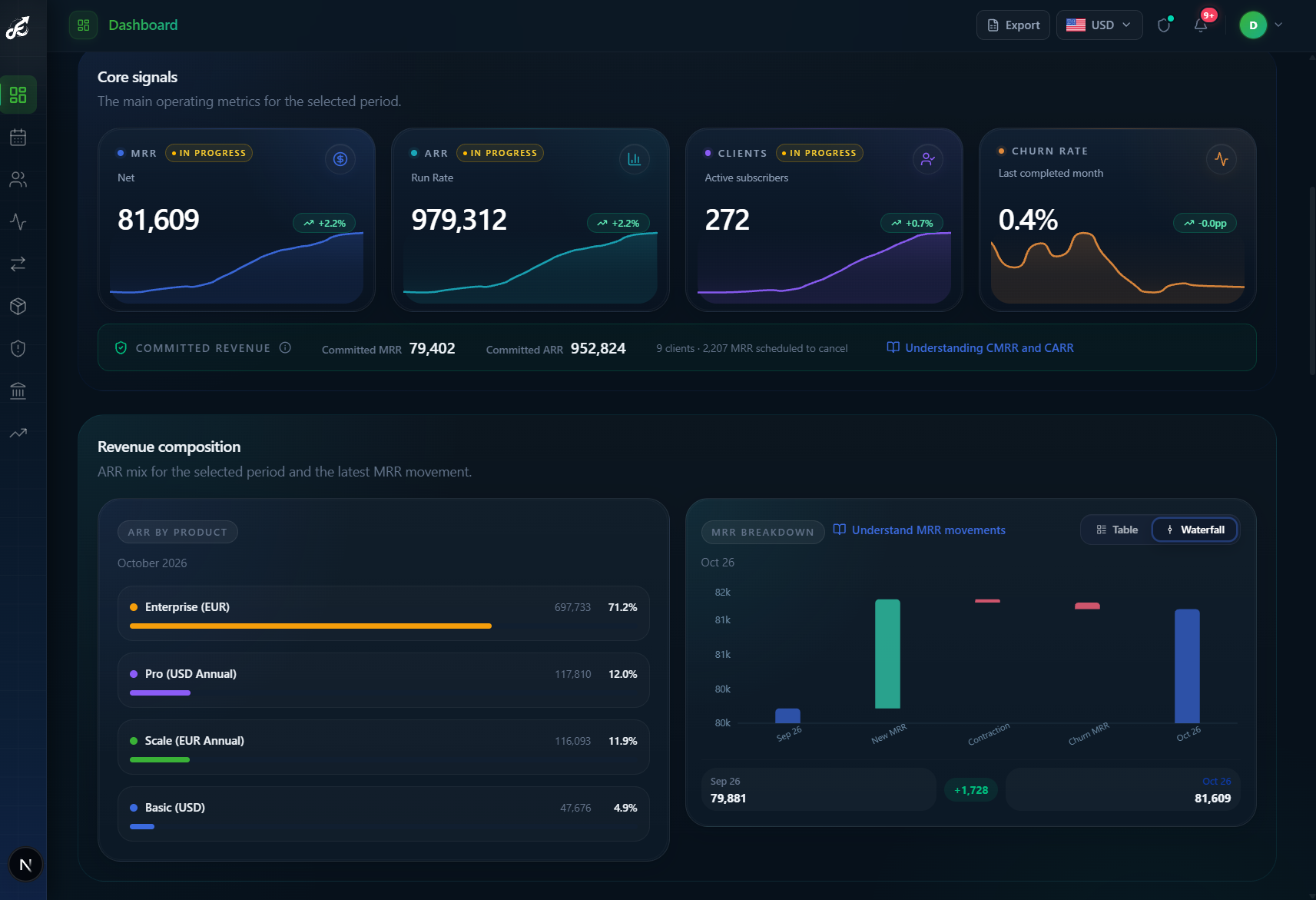
MRR, ARR and the monthly waterfall in one place, so the change is visible before the next meeting.
HOW IT WORKS
From Stripe to answers in three steps.
- 01
Connect Stripe
Authorize access through Stripe Connect. No CSV exports and no spreadsheet to rebuild.
- 02
Import your history
FlowMRR reconstructs MRR from your subscription and invoice history, then keeps it updated as Stripe data syncs.
- 03
Open the views
Move from the MRR base to movements, retention, recovery and forecasts without leaving the workspace.
Analytics reads Stripe data, but Stripe Connect requests read and write access. Manual payment retries are optional; review the requested access before connecting.
START WITH THE BASE
One MRR number. Four questions behind it.
FlowMRR is MRR analytics software built for SaaS teams using Stripe. No spreadsheet rebuild or CSV upload: subscriptions and invoice history feed the MRR dashboard as data syncs.
- 01
Current MRR
What recurring revenue is active now?
- 02
ARR
What does that base look like annualized?
- 03
Subscribers
How many customers support that base?
- 04
Churn rate
What share of customers left last month?
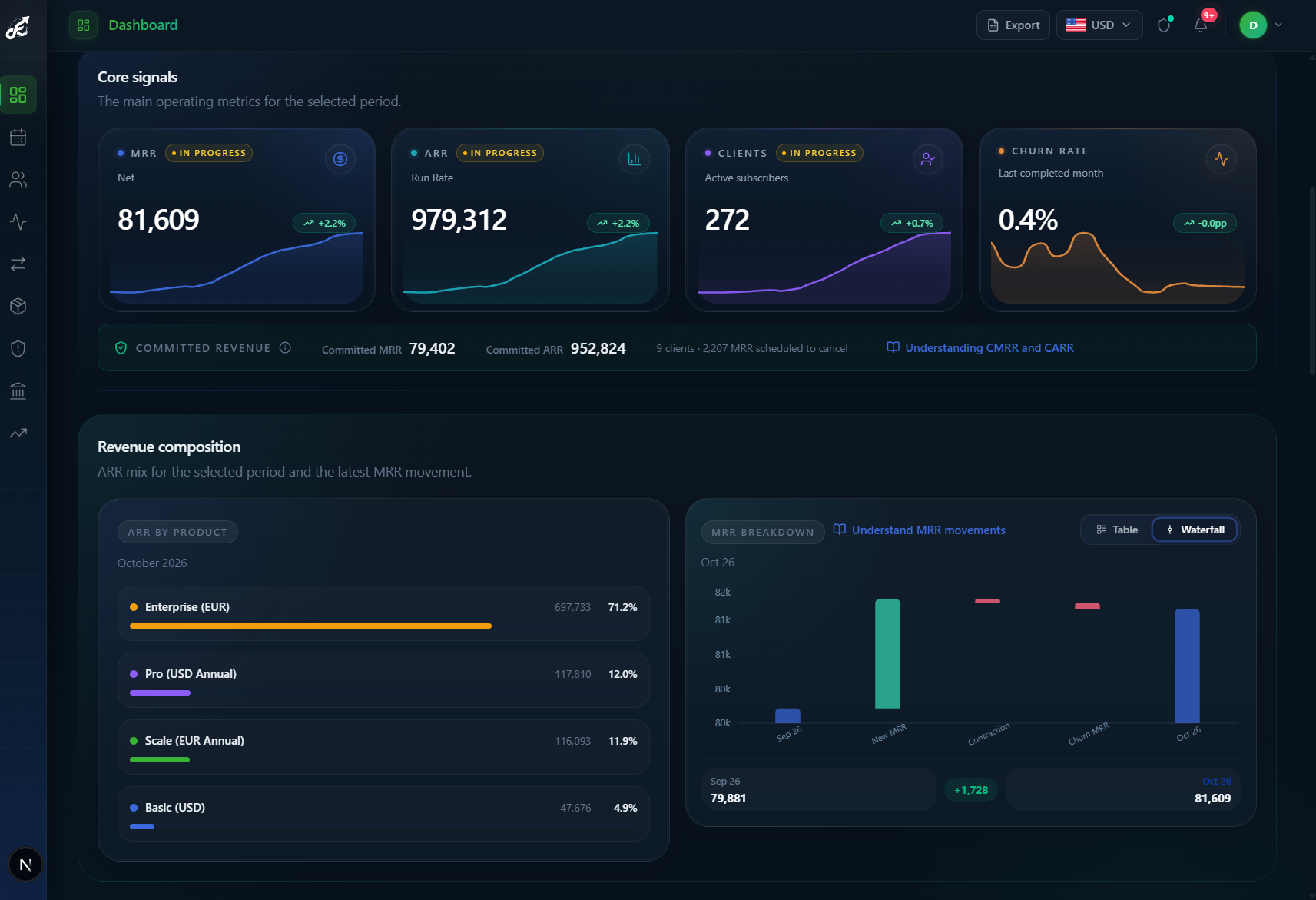
Numbers update after Stripe data syncs and processes, not at a guaranteed instant. For the definition and calculation, see the MRR calculation guide.
01 / REVENUE MOVEMENTS
MRR went up. Is that the whole story?
A positive total can hide a problem you could still fix. See the gains and losses separately, then follow the change to the customers behind it.
But most of that new revenue replaced what you lost. The next question isn't just how to sell more; it's why six thousand dollars left.
New MRR
01See the recurring revenue added by new paying customers. Separate acquisition from growth within your existing customer base.
Expansion MRR
02Identify revenue gained when existing customers upgrade, add seats or increase their recurring commitment.
Contraction MRR
03Spot revenue lost to downgrades or reduced subscription quantities before it is hidden by new sales.
Churned MRR
04Understand the recurring revenue lost when customers leave, then investigate the affected accounts.
Reactivation MRR
05Distinguish returning customers from first-time customers so win-backs do not inflate new acquisition.
Net New MRR
06Read the combined result of new, expansion and reactivation revenue, less contraction and churn.
Connect each movement to the overall change with the Net New MRR guide.
02 / FOLLOW THE SIGNAL
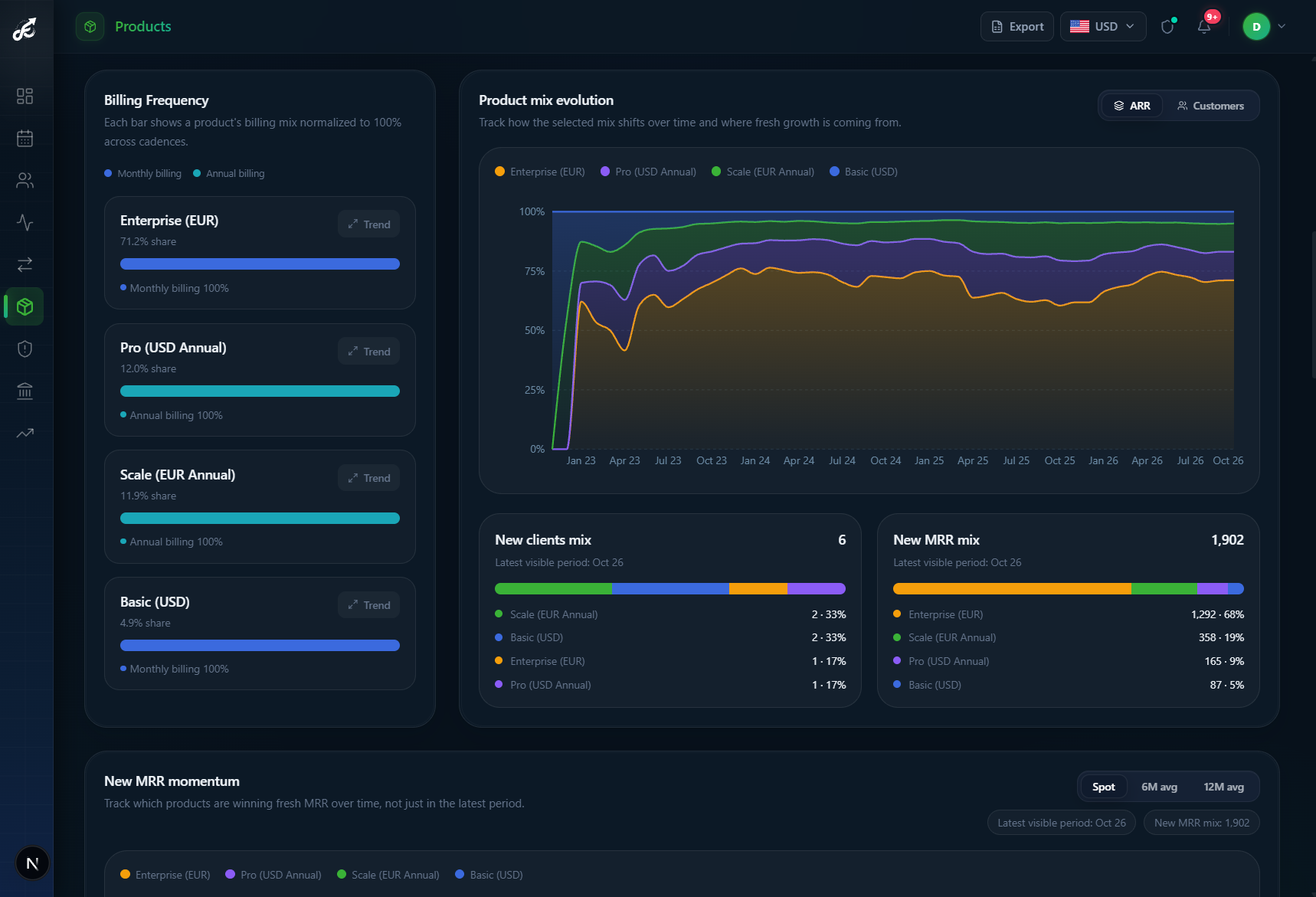
Find the customers behind the curve.
A net change is only a starting point. Trace expansions and losses to customers, then compare product contribution to find out whether growth is broad-based or concentrated in a few plans.
Need a quick snapshot before connecting the full workspace? Try the free Stripe MRR breakdown tool.
03 / QUALITY OF GROWTH
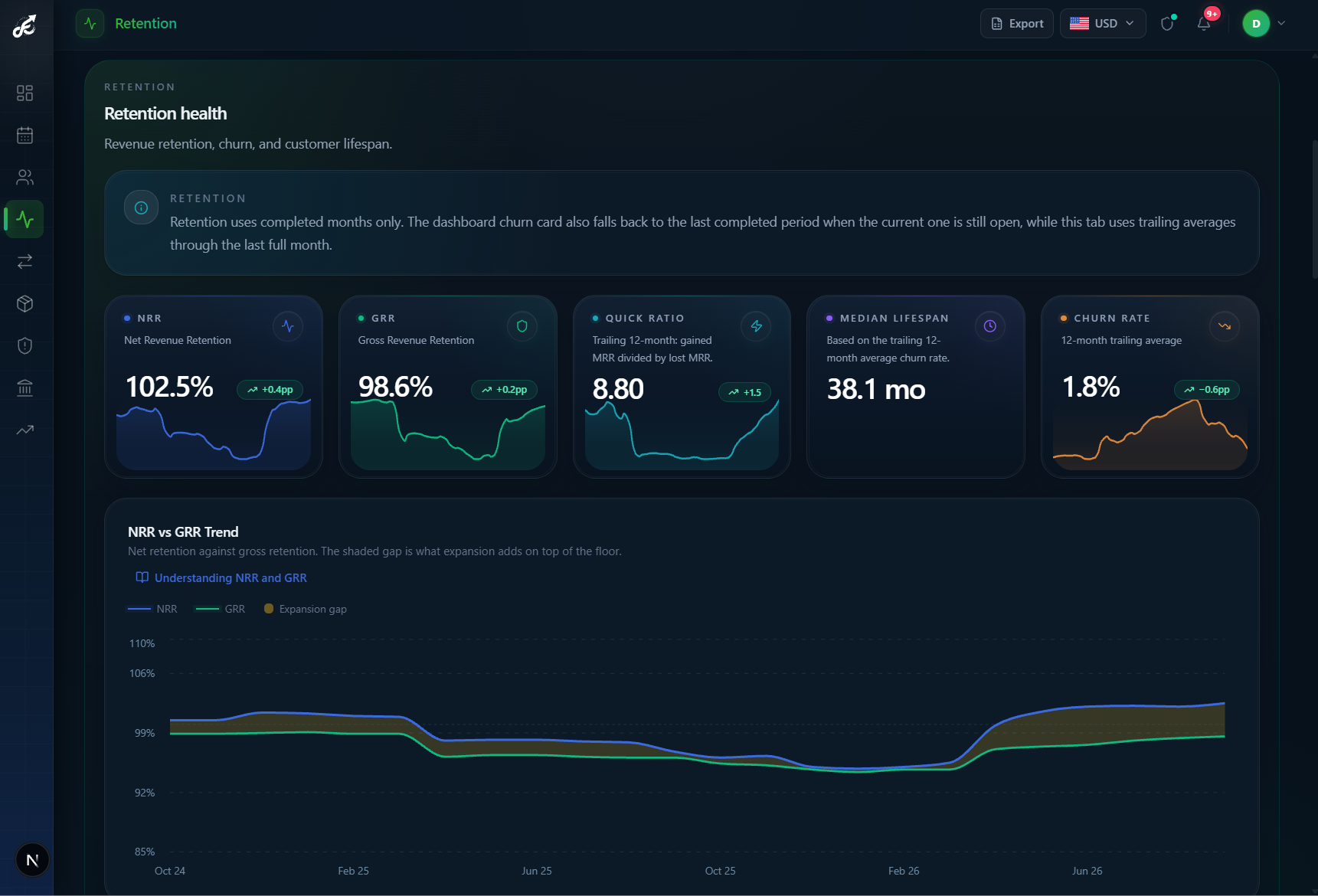
Did you keep the revenue you won?
Check customer and revenue retention together. Follow cohort retention and account trajectory to see whether your new MRR is adding to the base or just replacing lost customers.
Read about net revenue retention and customer churn.
04 / REVENUE RECOVERY
A failed payment isn't the end of the story.
Don't discover lost revenue only after it becomes churn. See overdue subscriptions and failure reasons, focus on the accounts that need action, then follow the payment and message history in one place.
Stripe handles its own retries. FlowMRR helps you see what is still at risk and where a human follow-up makes sense.
See revenue at risk in FlowMRR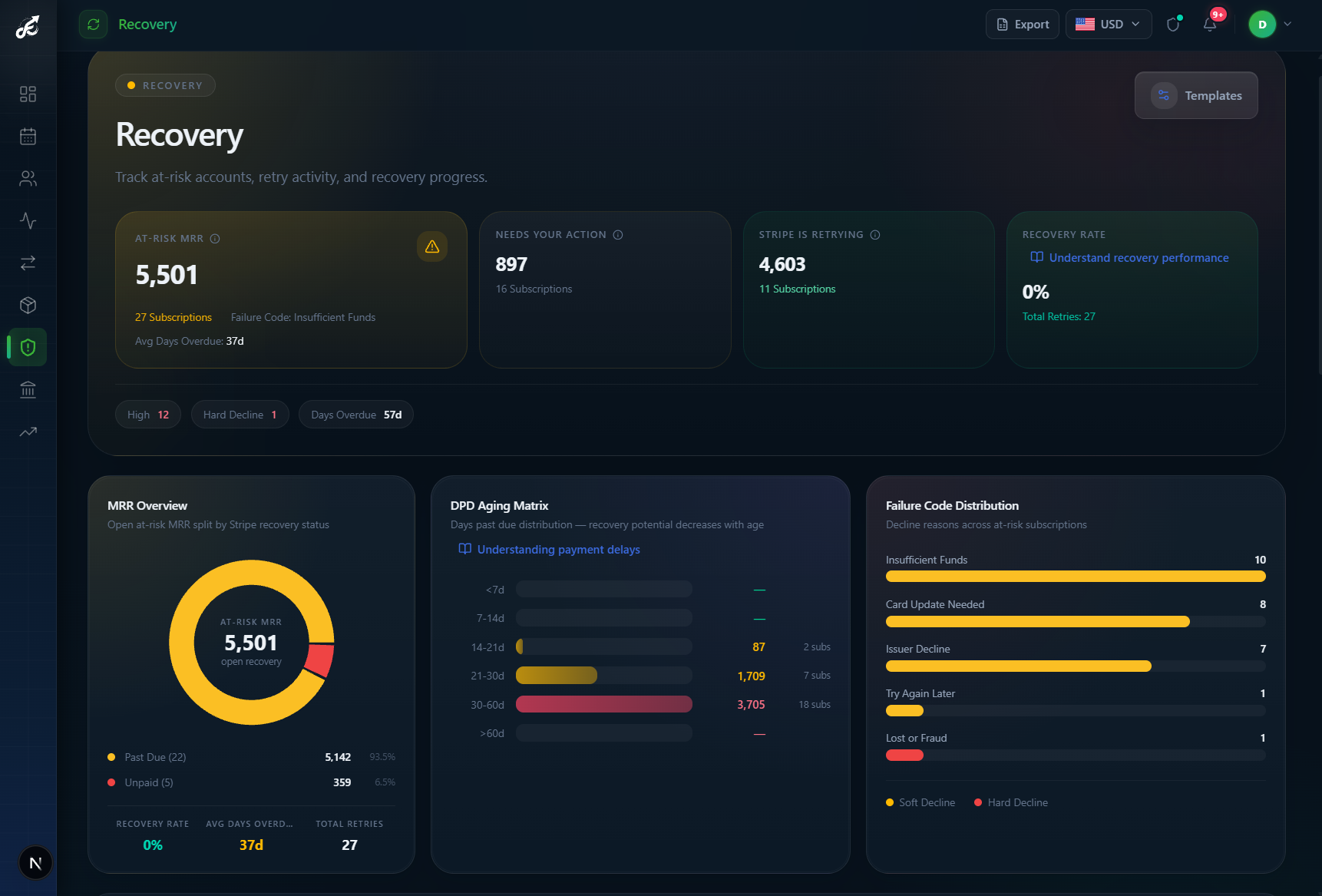
05 / TRACK CASH FLOW
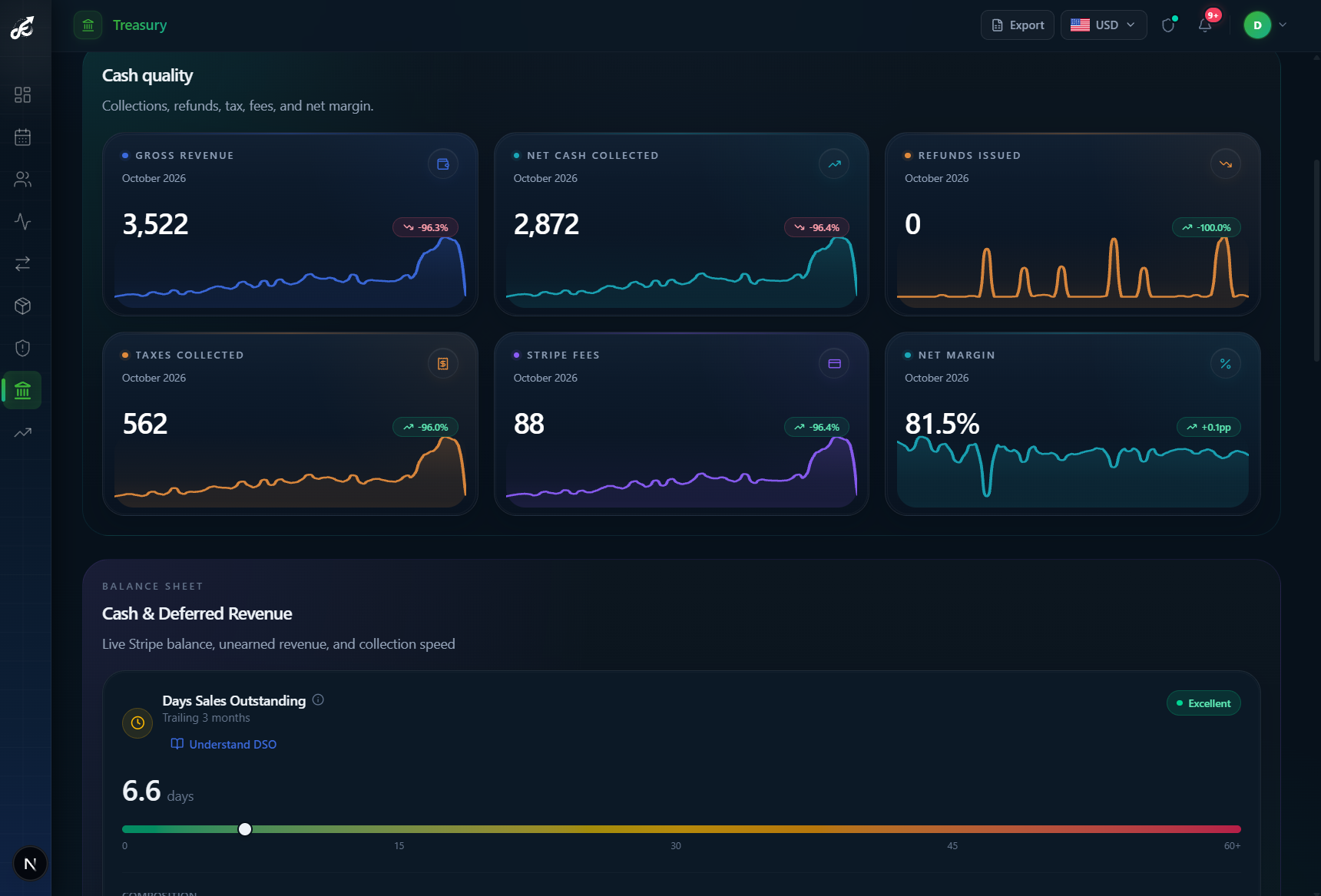
MRR isn't cash. Track both.
MRR shows the recurring revenue you expect to earn. Cash flow shows what was actually collected. Review gross revenue, net cash collected, refunds, tax, Stripe fees and net margin, then check your balance, deferred revenue and how quickly customers pay.
06 / PLAN NEXT
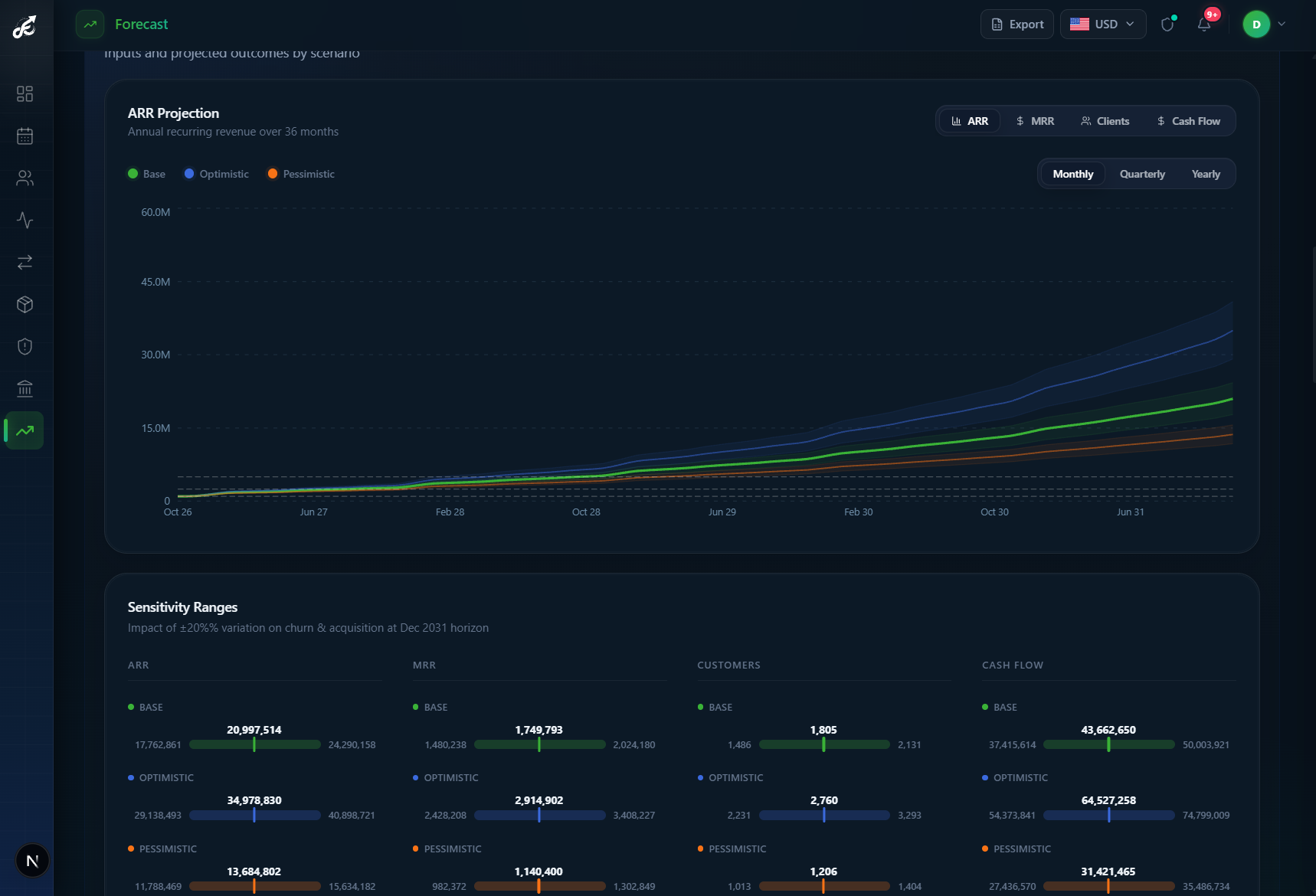
Plan the next move from the base you have.
Now you know what's growing, what's staying, what's at risk and what you collected. Compare base, optimistic and pessimistic scenarios, then test how churn and acquisition assumptions change the outcome, instead of assuming every subscription will renew.
BETTER TOGETHER
Keep Stripe. Add the revenue perspective.
Your billing foundation.
Payments, subscriptions and transaction activity. Stripe remains the source of your billing data.
Your revenue decisions.
MRR movements, retention, forecasting and recovery, connected in one SaaS revenue workspace.
Stripe MRR analytics that works with your billing system, not in place of it.
WHEN IT MATTERS
Stop passing the same spreadsheet around.
Before the leadership meeting
Know whether acquisition, expansion or retention needs attention, and open the accounts behind the answer.
At month-end close
Use MRR reporting software to bring recurring revenue movements, retention and forecast assumptions into one review.
When growth slows
Check whether new customers, existing accounts or product mix changed, then align the team responsible for the next action.
When payments fail
See which at-risk accounts need a follow-up, without maintaining a separate spreadsheet for every question.
Explore the FlowMRR platform or try our free Stripe tools for a focused first analysis.
BEFORE YOU CONNECT
Questions about MRR analytics?
What is MRR analytics?
MRR analytics connects your recurring revenue total to the customers and subscription changes behind it. FlowMRR brings MRR trends, movements, retention and forecasts into one workspace so a SaaS team can decide where to focus next.
How does FlowMRR calculate MRR?
FlowMRR reconstructs recurring revenue from Stripe subscription and invoice history and normalizes recurring billing intervals and quantities to monthly amounts. The headline MRR is gross (before discounts); discount-adjusted net MRR is a separate measure. MRR is not cash collected. The MRR guide explains the calculation principles in more detail.
Can FlowMRR calculate MRR directly from Stripe?
Yes. Connect your Stripe account to import your history and calculate MRR without preparing a spreadsheet. Ongoing synchronization updates your analytics as Stripe data changes; freshness depends on the connection and processing, not a guaranteed zero-delay feed.
What is the difference between MRR and Net New MRR?
MRR is the recurring monthly revenue base at a point in time. Net New MRR is the change during a period: new MRR plus expansion and reactivation, minus contraction and churn. FlowMRR shows both the base and the movements behind growth.
Does FlowMRR track expansion and contraction MRR?
Yes. FlowMRR separates expansion and contraction from new and churned MRR, helping you distinguish growth within existing accounts from acquisition or customer losses.
Can FlowMRR analyze churn?
Yes. Review customer churn, churned MRR, customer and revenue retention, and cohort patterns. Use account-level context to investigate which customers left and where recurring revenue is weakening.
How does FlowMRR help with failed payments?
The recovery view shows at-risk MRR and distinguishes subscriptions Stripe is retrying from accounts that need your attention. Open an account to review payment attempts and outreach history before following up. Recovery is not a guarantee that a payment will be collected.
Does FlowMRR support forecasting?
Yes. FlowMRR provides revenue forecasts and growth scenarios based on available data and assumptions. Scheduled cancellations and committed revenue are shown separately; they are not automatically factored into the forecast scenarios. Forecasts are planning estimates, not guarantees of future revenue.
Do I need to upload CSV files?
No. Connect Stripe to import subscription and payment history directly. FlowMRR is an MRR tracking tool for ongoing analysis, while exports are available when you need to share results outside the workspace.
Is FlowMRR read-only with Stripe?
Analytics reads Stripe data without editing subscriptions, but Stripe Connect requests read and write access. This also allows optional manual payment retries; there is no separate OAuth grant when you retry. Review the requested access before connecting.
Understand what is really driving your MRR.
Less time assembling numbers. More time deciding what comes next.
Built on Stripe Connect. No CSV uploads.